Ask most long-time RVers, and they’ll tell you that go-anywhere, low-cost, fast, and unlimited internet service is the holy grail of data connection from the road. We have just about all of the comforts of home in today’s RVs and vans, so why not have unlimited internet access in them as well?
Key Takeaways
- Starlink offers two Roam plans for RVers: 100GB ($50/mo) and Unlimited ($165/mo), both with in-motion and international roaming included. A $5/mo Standby mode lets you keep your account active in the off-season with low-speed connectivity.
- The Starlink Mini ($249) is the most portable option — laptop-sized, about 2.5 lbs, with built-in WiFi 6 and low power draw. The standard dish is $349 and the in-motion dish is $1,999.
- Speeds depend on your plan tier. Roam 100GB throttles after your data cap, so heavy users should go Unlimited. A cellular backup is still recommended for congested areas.
- The standard dish uses about one to one and a half kilowatt hours per day, while the Mini needs less than half that — easily powered by a basic solar and battery setup.
For decades, the best option has been cellular-based service. Most competent road warriors will have at least a few mobile hotspot routers and perhaps a cellular booster to help stretch that connection in remote locations. But they still never quite reach far enough to cover every hard-to-get-to place—until Starlink.

Further reading...


What is Starlink for RVs and How Much Does Mobile Satellite Internet Cost?
Since its original announcement in 2015, SpaceX has been developing a low-cost broadband service to reach previously uncovered locations with its low-earth orbit satellite internet service. In early 2021, preorders for Starlink service opened to the public. As of early 2026, there are over 7,000 Starlink satellites in orbit, with more awaiting approval for deployment. Although it was originally designed to serve homes without other broadband service options, Starlink can work anywhere with a clear view of the skies.
The connection speeds rival traditional broadband, with speeds up to 300 megabits per second or more depending on plan tier. But in the real world, that number can vary based on how many others are in the area using the network at the same time. Starlink currently offers tiered Residential plans (100 Mbps, 200 Mbps, and Max), Roam plans in two tiers (100GB and Unlimited) primarily for RVers and mobile users, Boat, and Business plans — along with the compact Starlink Mini as a portable hardware option.
Starlink Plans and Pricing at a Glance
Starlink’s pricing depends on both the plan and the hardware you choose.
On the plan side, Residential service now comes in three tiers: 100 Mbps ($50/mo), 200 Mbps ($80/mo), and Max ($120/mo). For RVers, the two Roam plans are the most relevant — Roam 100GB at $50/mo and Roam Unlimited at $165/mo. Both include in-motion use and international roaming. There’s also a $5/mo Standby mode for keeping your account active during the off-season with low-speed connectivity.
On the hardware side, the standard dish runs $349. The flat-mount in-motion dish is $1,999, and the portable Starlink Mini starts at $249. Residential Max subscribers get a free Mini rental and 50% off Roam plans, which makes it a strong combo for RVers who also have Starlink at home.
Business and maritime plans are available at higher price points for commercial users, with Global Priority plans offering dedicated offshore data for boaters and Business Priority plans starting at $65/mo for fixed-site operations.
See all Starlink plans & pricing here
Best Starlink Plan for RVers: Residential vs. Roam Explained
Speed Priorities and “Best-Effort” Performance
The main difference between Starlink’s Residential and Roam plans comes down to speed priority and flexibility.
Residential plans are tied to a home address and come in three tiers: 100 Mbps ($50/mo), 200 Mbps ($80/mo), and Max ($120/mo). Subscribers get priority speeds in their service area, with higher tiers offering more priority data before being shifted to standard speeds.
Roam plans are designed for people on the move. Roam 100GB ($50/mo) gives you high-speed data up to your cap, then drops to low-speed for the rest of the billing cycle. Roam Unlimited ($165/mo) removes that cap and includes higher speed priority. Both plans include in-motion use and international roaming, and neither requires a home service address — just a delivery address for the hardware.
For most RVers, speeds will range from single digits in congested areas to over 200 Mbps in less populated zones. A cellular hotspot backup is still a smart idea for areas where satellite coverage is limited or demand is high.
The Starlink Mini is worth special attention here — at $249 and about 2.5 pounds, it’s the most practical hardware choice for RVers who want a portable, low-power setup without mounting a full dish on their roof.
Staying Connected on the Road: A Guide to RV WiFi
Pausing Starlink Roam for Seasonal RV Travel
Another major difference between the Residential and Roam plan is the ability to pause the RV service to avoid paying for the months when it’s not needed. There are no additional fees to keep your account while it’s on pause. For seasonal RVers, this can equate to significant cost savings. There’s no proration for partial months, so every time the service is unpaused, the user will be billed for a full month.
Global Roam for International RV Trips
Starlink Roam also allows users to choose a global plan for those who frequently travel to different countries. For an extra monthly fee, this plan keeps RVers connected, even when they’re on continents that differ from their original shipping address.
The bottom line is that for most new subscribers, Starlink Roam is the best plan for travelers. The Standard residential plan can have long waitlists depending on the location, and unless you also need to use it at home, it offers little benefit over the Mobile (Roam) RV plan.
Starlink Coverage and Speeds for RV Travel by Location
Because the Starlink satellite constellation is being deployed evenly across the sky worldwide, population density can often indicate how speed is affected. The eastern part of the U.S. typically experiences slower speeds because satellites are shared across more users. Sparsely populated western states generally enjoy faster speeds, with the exclusion of major cities.

Each Starlink dish has more than 1,000 mini antennas that can track multiple satellites simultaneously. With the satellites flying across the sky at incredible speeds, your dish will try to connect to a new satellite every 4 minutes. Heavily shaded areas can cause the service to drop in and out if the dish can’t acquire a new connection before it loses the previous one. This isn’t as big of a problem for web browsing or videos that can buffer, but when using Starlink for live video chats or gaming, these conditions can prove problematic.
Starlink in Motion For RVs: High-Performance Dish and Mobile Priority
All Roam plans now include in-motion use at speeds up to 100 MPH — no separate plan required.
The Starlink Mini ($249) is the most portable option at just 2.5 pounds with low power draw, ideal for RVers who set up and take down at each stop. For permanent roof-mounted use, the Performance Gen 3 dish ($1,999) offers speeds over 400 Mbps, an IP69K weather rating, and a 10-year service life. The standard dish ($349) also works on Roam plans but performs best when stationary.
Starlink Power Use for RV Boondocking and Off-Grid Campsites
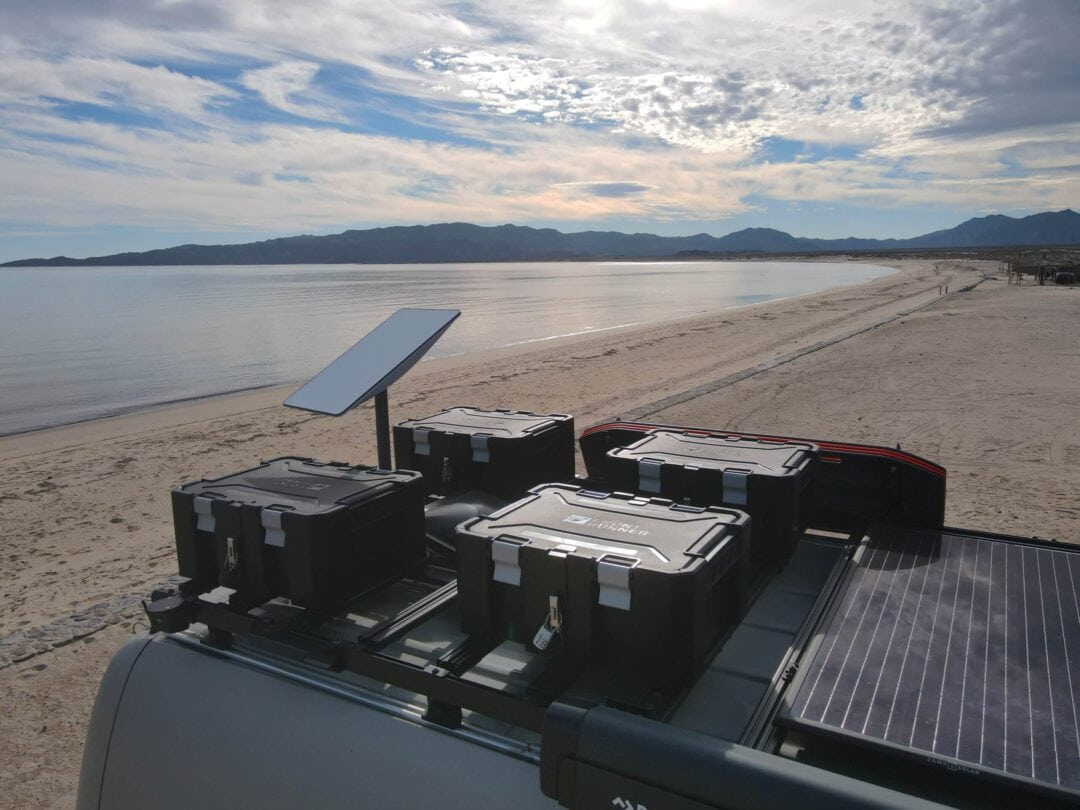
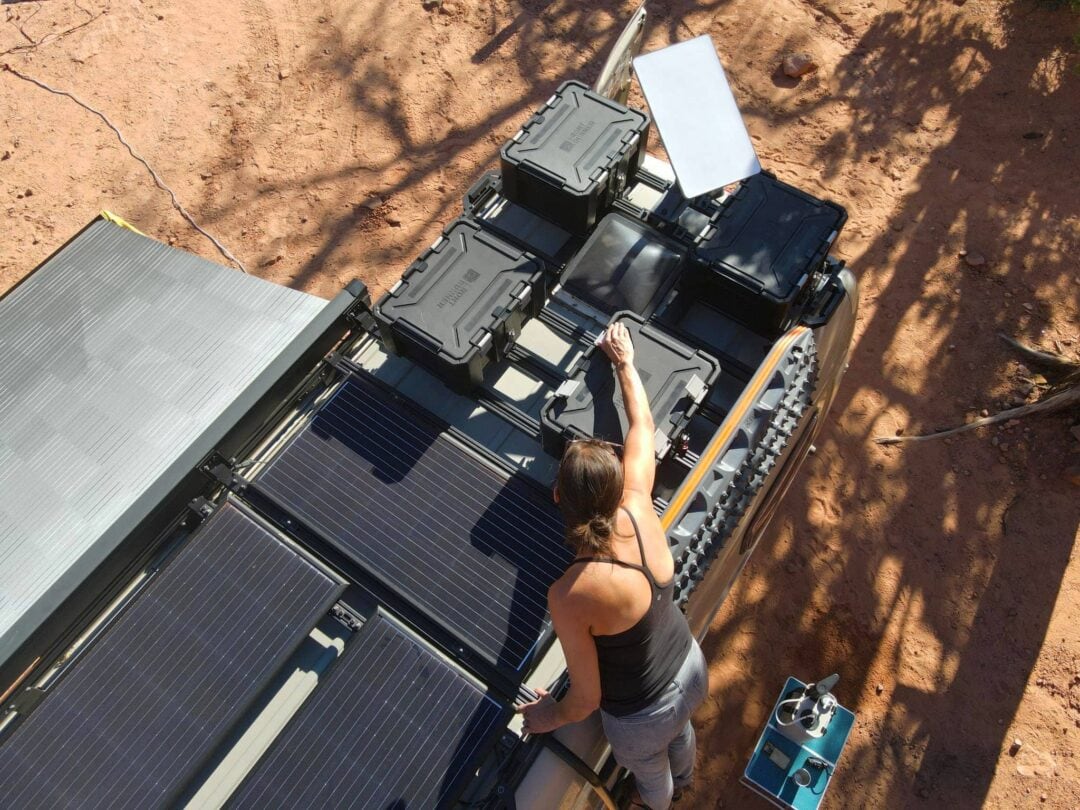
For RVers who plan to use Starlink while connected to shore power, the electrical consumption is inconsequential. But where Starlink really shines is in remote locations where you’ll be less likely to be connected to hookups. That means you’ll want to be prepared for the additional power consumption. The standard Starlink dish consumes roughly 1.8 to 2.4 kilowatt hours of electricity over 24 hours — enough to drain a 100 amp-hour lithium battery well before the day is up. The Starlink Mini is far more efficient at 25 to 40 watts, using only about 0.6 to 1 kilowatt hour per day, which a 100 amp-hour lithium battery can handle comfortably. The larger, in-motion dish will use roughly twice as much power. This can equate to a massive amount of increased power demand for many RVers.
Course: Introduction to RV Power
If you are planning to use Starlink off-grid, make sure you prepare your electrical system accordingly. Turn Starlink off at night and whenever it’s not in use to make sure you’re conserving as much power as possible. Increasing your battery bank, as well as your power generation capacity, to meet the new demand will ensure a worry-free stay.
The Ultimate Guide to Boondocking
Is Starlink Worth it for RV Internet? Pros, Limits, and Real-World Takeaways
So the question remains, has Starlink proven itself to be the best mobile internet service for RVers? It certainly feels that way when you’re visiting far-flung locations and are still connected with broadband speeds.
While you’ll have to overcome Starlink’s increased power demands, congestion in populated areas, and in-motion limitations when using a standard dish, it can save you the hassle of looking at cell phone service area maps and dealing with dead zones before planning your next adventure. If you need to be connected while on the road, Starlink will let you go where you want rather than limiting your trip to areas with cell phone coverage.
Meet the Authors


- Related Articles
- Latest Articles






 Download from Play Store
 Download from Apple App Store